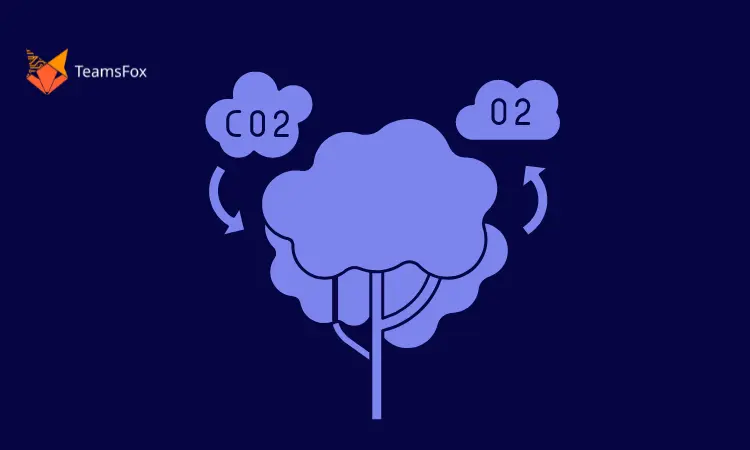
In today’s world, where sustainability and environmental awareness are gaining importance, it’s crucial for businesses and individuals alike to understand and measure their carbon footprint. One area that is often overlooked in this context is information technology (IT). As IT continues to play a central role in modern organizations, it becomes imperative to understand and mitigate the carbon emissions associated with IT operations. In this comprehensive guide, we, as experts in the field of technology development, will guide you through the process of measuring your IT carbon footprint while highlighting the role of TeamsFox, a powerful solution that not only manages your Microsoft 365 environment but also includes a dedicated Green IT section to help you effectively reduce your carbon footprint.
What is an IT Carbon Footprint?
Before we dive into the intricacies of measuring your IT carbon footprint, let’s clarify what it actually means. An IT carbon footprint refers to the amount of greenhouse gas emissions generated by the use of Information Technology equipment, infrastructure, and services within an organization. These emissions primarily result from the energy consumed by data centers, servers, network equipment, end-user devices, and other IT-related activities.
Why Measuring Your IT Carbon Footprint is Important?
Understanding your IT carbon footprint is critical for several reasons:
1. Environmental Impact
Measuring your IT carbon footprint helps you identify the extent of your organization’s contribution to climate change. By quantifying the emissions, you can take targeted actions to reduce your carbon impact and move towards sustainability.
2. Cost Optimization
Assessing your IT carbon footprint allows you to identify areas where energy efficiency improvements can be made. By optimizing energy usage, you not only reduce emissions but also save costs on energy bills.
3. Corporate Social Responsibility (CSR)
In today’s socially conscious landscape, customers, partners, and stakeholders expect businesses to take responsibility for their environmental impact. Demonstrating a commitment to reducing your IT carbon footprint enhances your company’s CSR profile.
4. Compliance and Regulations
Various regions and industries are introducing environmental regulations that may require organizations to report and manage their carbon emissions. Understanding your IT carbon footprint ensures compliance with such regulations.
Measuring Your IT Carbon Footprint: Step-by-Step Guide
TeamsFox is a cutting-edge solution designed to tackle the environmental impact of Microsoft 365 environments. As a powerful tool, it provides detailed insights into carbon consumption patterns related to Exchange, Teams, and storage components of Microsoft 365. Understanding and quantifying the carbon footprint of your Microsoft 365 operations is the first step toward making a positive change. TeamsFox provides a user-friendly and intuitive platform that empowers you to track, assess, and analyze your digital carbon emissions. By monitoring the carbon footprint consumption associated with various tasks, such as email communication, video conferencing, and document storage, you gain valuable insights into the environmental impact of your daily digital routine.
Measuring Your IT Carbon Footprint: Step-by-Step Guide
Step 1: Data Collection
To begin the process of measuring your IT carbon footprint, you must gather relevant data from various sources within your organization. The key data points to collect include:
- Consumption Data
- Hardware Inventory
- IT Operations Data
For this step, TeamsFox, your reliable Microsoft 365 environment management solution, helps you collect data on operations performed within the Microsoft 365 environment seamlessly by integrating with various systems and providing comprehensive carbon reporting at the Teams, Exchange, and Storage levels.
Step 2: Analyze and Identify Hotspots
With the calculated carbon emissions, you can now identify hotspots within your IT infrastructure that contribute significantly to your carbon footprint. This analysis will help you prioritize areas for improvement and optimization.
TeamsFox’s sophisticated reporting capabilities offer insightful visualizations of carbon emissions across different IT activities, such as email usage, meetings, and storage, helping you pinpoint the major contributors to your carbon footprint.
Step 3: Set Reduction Targets
Based on your analysis, establish realistic reduction targets for your IT carbon footprint. Involve relevant stakeholders and departments to ensure buy-in and cooperation throughout the process.
TeamsFox’s Green IT section provides valuable recommendations based on industry best practices to help you set ambitious but achievable reduction targets.
Step 4: Monitor and Report Progress
Regularly monitor your IT carbon footprint and track progress towards your reduction targets. Use data analytics tools and software to generate insightful reports and visualize trends.
TeamsFox’s Green IT section provides real-time tracking of your carbon emissions, allowing you to stay updated on your progress and make informed decisions promptly.
Conclusion
Measuring your IT carbon footprint is a vital step toward building a sustainable future for your organization and the planet. By understanding the environmental impact of your IT operations, you can make informed decisions to reduce emissions, optimize costs, and enhance your corporate social responsibility.
TeamsFox, your trusted Microsoft 365 environment management solution, with its dedicated Green IT section, empowers you with detailed reports on your carbon emissions from various IT activities, along with practical recommendations to minimize your environmental impact through everyday actions.
Take charge of your IT carbon footprint today with the power of TeamsFox and pave the way for a greener, more sustainable future. Remember, the journey toward sustainability is an ongoing process, and every effort counts.
Curious to learn more about Green IT? Delve into our previous article for a detailed exploration of what Green IT truly entails. Don’t miss out on expanding your knowledge!