
How to Protect Your IT Budget – And Strengthen Your Microsoft Strategy.
Microsoft doesn’t raise prices often – but when it does, the impact is real, and the window to respond intelligently is shorter than most IT leaders expect.
In December 2025, Microsoft announced the Microsoft 365 Price Increase July 2026, marking its biggest commercial pricing update since 2022. Across most Microsoft 365 Business and Enterprise plans, list prices will go up by between 9% and 33%, taking effect on July 1, 2026. If your organisation runs hundreds or thousands of seats, this isn’t just a line item to flag in the next budget review. It is a meaningful cost increase that deserves a proper commercial and technical plan.
This article breaks down what’s changing, what it could cost you, and what you should be doing right now to prepare.
Microsoft 365 price increase July 2026: What’s Changing and By How Much
The new prices apply to any subscription or renewal signed on or after July 1, 2026. If you’re on an Enterprise Agreement or a CSP arrangement, you’ll see the updated pricing at your next renewal date after that.
| Plan | Current Price | New Price (July 2026) | Increase |
| Business Basic | $6.00/user/month | $7.50/user/month | +25% |
| Business Standard | $12.50/user/month | $14.00/user/month | +12% |
| Business Premium | $22.00/user/month | $24.50/user/month | +11% |
| Microsoft 365 F1 | $2.25/user/month | $3.00/user/month | +33% |
| Microsoft 365 F3 (Frontline) | $8.00/user/month | $10.00/user/month | +25% |
| Office 365 E3 / M365 E3 | $23.00-$36.00 /user/month | $25.25-$39.00 /user/month | +9.8% |
| Office 365 E5 / M365 E5 | $57.00-$62.00 /user/month | $62.00-$65.00 /user/month | +8.8% |
Worth noting: Prices are approximate list prices in USD; regional variations apply. Business Premium is included in the table above. Government customers facing increases above 10% will see those phased in gradually over multiple years.
Microsoft’s reasoning is that it’s bundling features that used to cost extra into the core plans. Think Copilot Chat across Word, Excel, PowerPoint, Outlook and Teams; Defender for Office 365 Plan 1 security features; and expanded Intune device management. Whether or not you were planning to use any of that, it’s now included in what you’re paying for.
Why the Real Impact Is Bigger Than the Headlines Suggest
The list price increase is just the starting point. There are two other dynamics that could make your actual renewal cost significantly higher.
Discount compression. Most enterprise customers don’t pay list price. They have negotiated discounts through their EA or similar agreements. The problem is that those discounts are often reduced at renewal too. So you could be looking at a higher list price and a smaller discount at the same time. That combination can push your actual renewal cost well above what the percentages in the table above might suggest.
Frontline worker exposure. If your organisation has workers on shared devices, in sectors like manufacturing, retail, healthcare or logistics, pay close attention. The Frontline SKUs (F1, F3) are seeing some of the steepest percentage increases, and where discount structures were already tightening, the compounded impact can be significant.
The timing factor. Microsoft’s channel partners are being encouraged to use this change to drive early renewals and upsells. That’s not a problem if you know it’s happening. In fact, it can work in your favour. Microsoft’s sales network is motivated to get you to the table. Use that energy deliberately
Six Things to Do Before July 2026
1. Audit your current licence estate
Before you can negotiate anything, you need to know exactly what you have and how much of it you’re actually using. A good licence audit will show you:
- Which SKUs you hold and in what quantities
- Actual usage rates per licence type and per user
- Where you’re paying for E3 or E5 features that users are only consuming at E1 or Business Standard level
- Which add-ons you’re paying for separately that are now included in the new bundles
This isn’t a routine admin task. It’s the foundation of your negotiating position. You can’t make a credible case to Microsoft without solid consumption data behind you.
2. Build a proper cost model
Take your current licence mix, apply the new list prices, factor in what your discounts might look like at renewal, and run a few scenarios:
- Renewing at your current licence mix with new prices
- Downgrading some seats where the usage data supports it
- Upgrading selectively where the new bundles could replace tools you’re already paying for elsewhere
That model is what you bring into the commercial conversation, not just your current invoice.
3. Work out whether the new bundles actually change anything for you
3. Work out whether the new bundles actually change anything for you
For Business Premium and Microsoft 365 E5 customers in particular, the added security features could mean you no longer need certain third-party tools. If you’re already paying separately for Defender capabilities, Intune add-ons, or Security Copilot, do the maths. The bundled pricing might work out better than your current stack.
On the other hand, if your organisation isn’t using Copilot or the Intune tools being included, and has no real plan to, you have a legitimate argument about value. That’s worth bringing into your renewal negotiation.
4. Know your renewal window and move early if it makes sense
Organisations that renew before July 1, 2026, can lock in current pricing and delay the impact. If your agreement renews in the second half of 2026, it’s worth exploring whether an early renewal is commercially worth it.
That said, early renewal is not automatically the right answer. It can increase costs in the short term and potentially lock you into a licence mix that you have not fully optimised.
5. Benchmark before you negotiate
Discounts and incentive structures vary enormously across regions and customer profiles. Before you sit down with Microsoft or your partner, make sure you know what comparable organisations in your sector are paying. If you don’t, you’re going in blind. Your Microsoft partner, procurement network, or an independent sourcing advisor can help you establish a realistic reference point.
6. Build your internal business case now
IT leaders often end up on the back foot in budget conversations because the story sounds reactive: prices are going up, so we need more money. The stronger approach is to walk in with a plan that frames the increase as part of a broader optimisation story: here is what we are consolidating, here is the net position after negotiation, and here is what we are enabling as a result.
Build that narrative before the renewal invoice lands.
What This Means for Your Teams Strategy
For organisations running Microsoft Teams at scale, this pricing update has a specific angle worth thinking about. Teams features like meeting management, call analytics and adoption insights sit within the same licence tiers being repriced. As the per‑seat cost rises, the pressure to demonstrate tangible value and adoption for every licensed user increases accordingly.
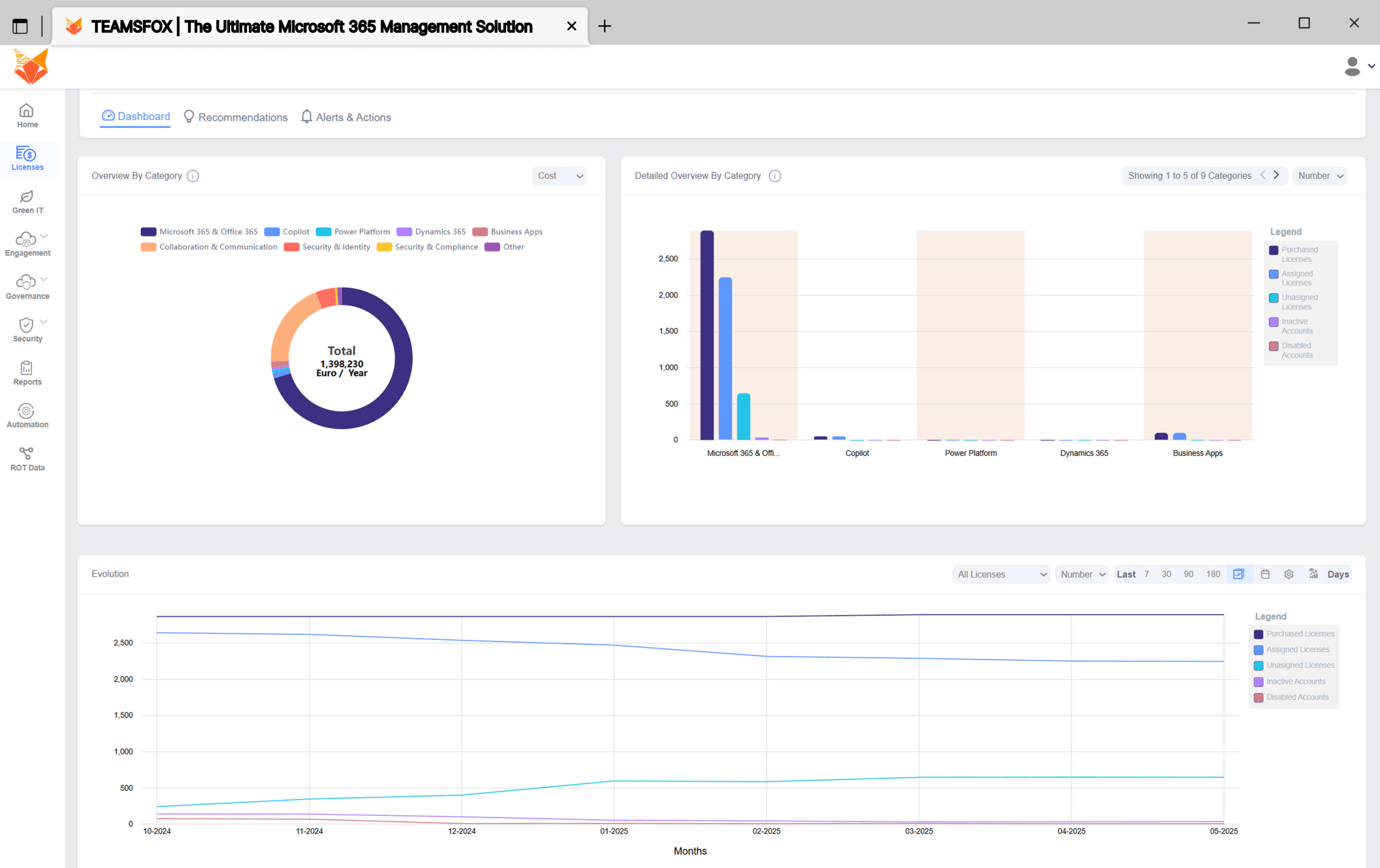
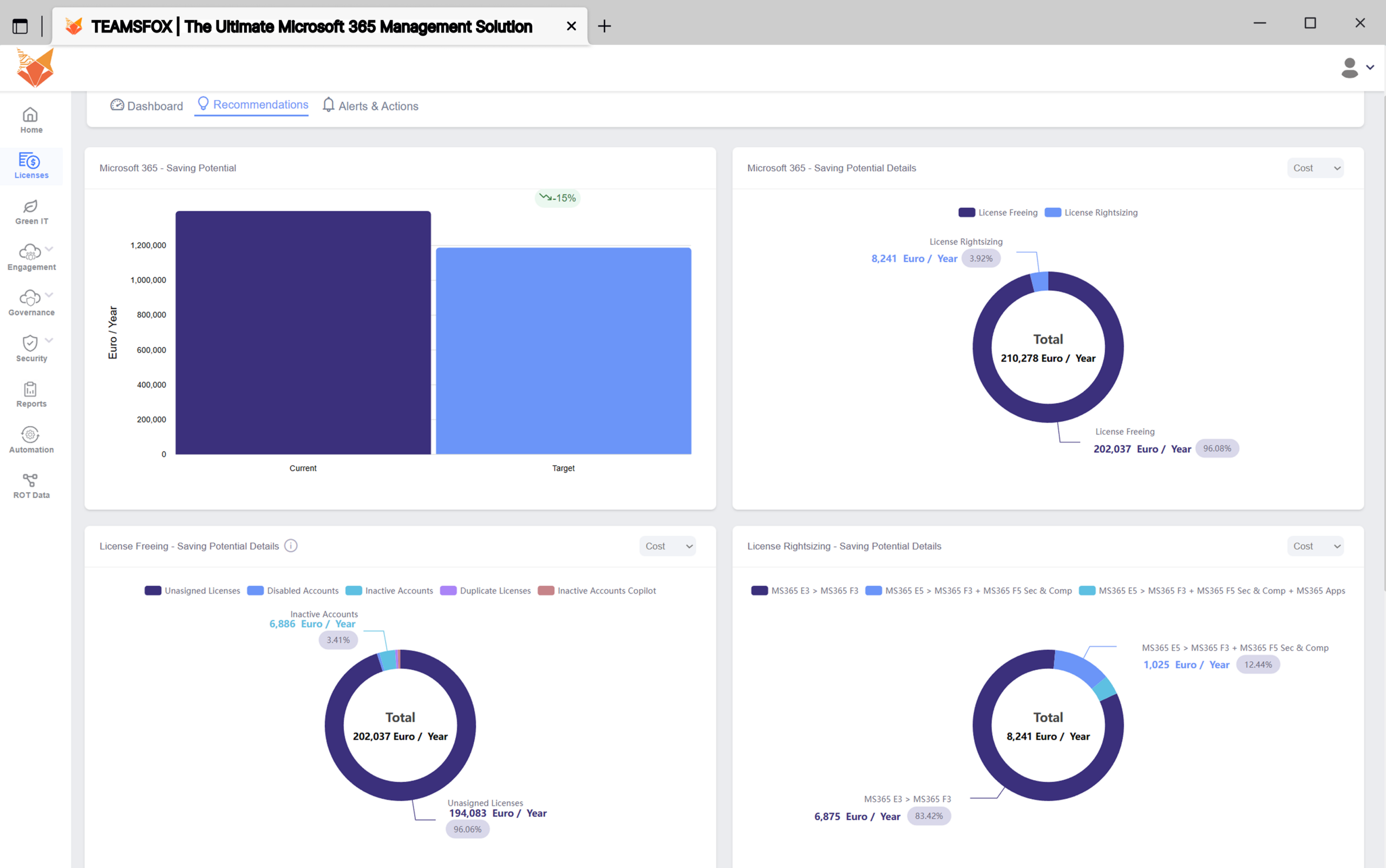
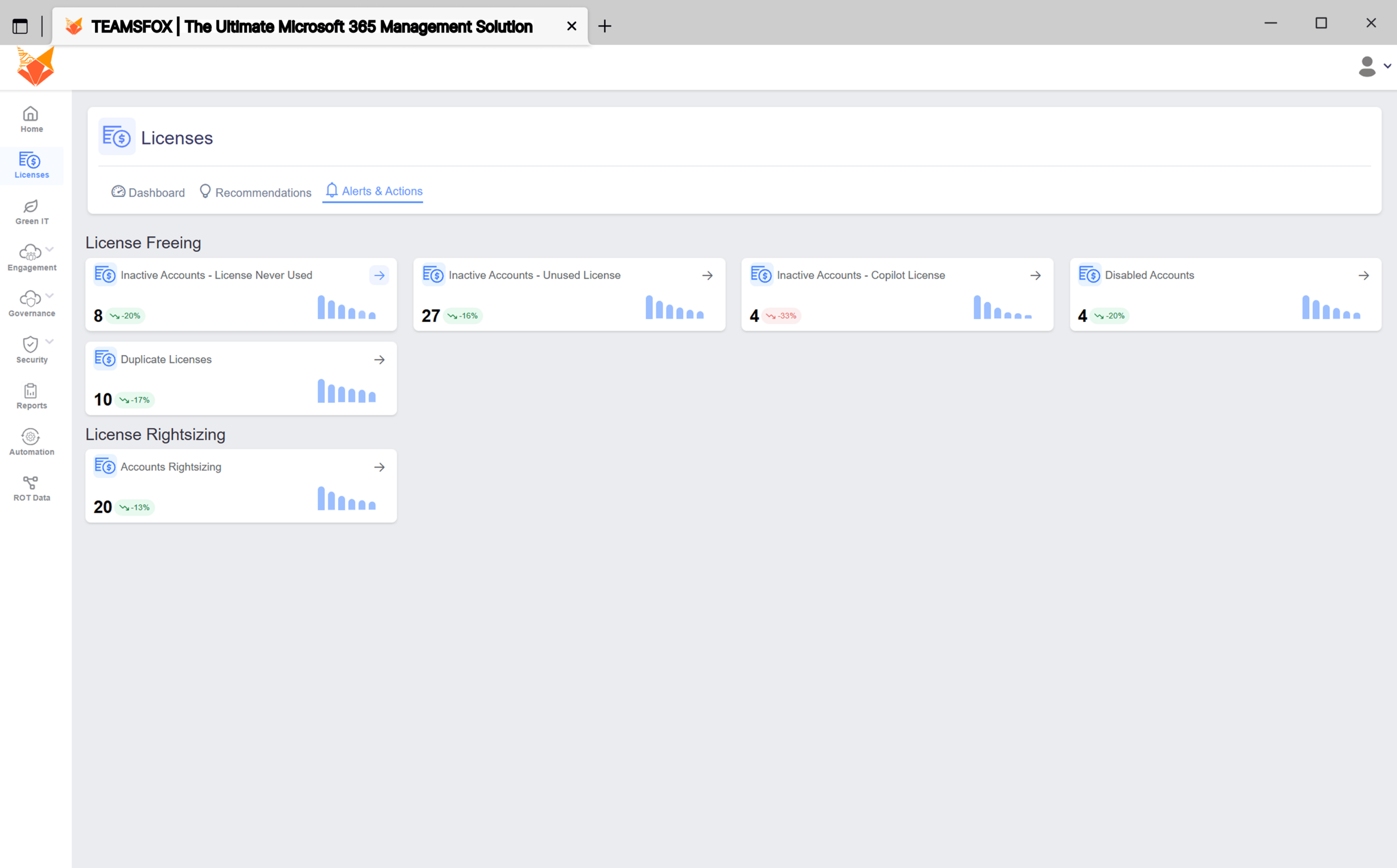
That’s where a tool like TeamsFox becomes genuinely useful. Being able to see actual Teams adoption across your organisation, identify under‑used or redundant licences, and build a data‑backed case for your licence mix is not just housekeeping. It gives you hard numbers to support downgrades, consolidations or targeted upgrades at renewal, as part of a proactive M365 License Management strategy. The organisations that will handle this price increase best are the ones that show up with precise usage data rather than rough estimates.
Tools like TeamsFox turn your Teams usage data into something you can put directly into your cost model and negotiation strategy.
Where to Start
July 2026 is not far away. If your renewal is on an annual cycle, the planning window is open now. If you’re on a multi-year Enterprise Agreement, the question of whether an early renewal makes sense is one worth answering before someone else answers it for you.
The worst position to be in is doing nothing, absorbing the price increase at renewal, and having no data or strategy to show for it. The best position is arriving at renewal with a clear audit, a realistic cost model, a benchmarked negotiating stance, and a consolidated tooling story – supported by concrete usage data from tools like TeamsFox.
Microsoft has given the market plenty of notice on this one. Make good use of it.
About TeamsFox :
👉 If you want a full license audit with actual feature usage per user, you can run a free TeamsFox scan on your own tenant. It provides a complete breakdown of savings opportunities, governance issues and license recommendations: