TeamsFox
TeamsFox

Tackling Microsoft 365 Storage Challenges

As Microsoft 365 environments mature, storage becomes harder to control. Content spreads across Teams and SharePoint, ownership fades, and historical data remains active by default.

  • Limited Visibility

No consolidated view of tenant-wide storage
usage, growth trends, or cost drivers..

  • ROT and Inactive Content

Redundant, obsolete, and trivial files consume
premium storage capacity.​

  • Premium Storage Economics

Once included capacity is exhausted, SharePoint
storage fees increase rapidly with little clarity on
safe optimization paths.
Your Microsoft 365 Storage Control Center

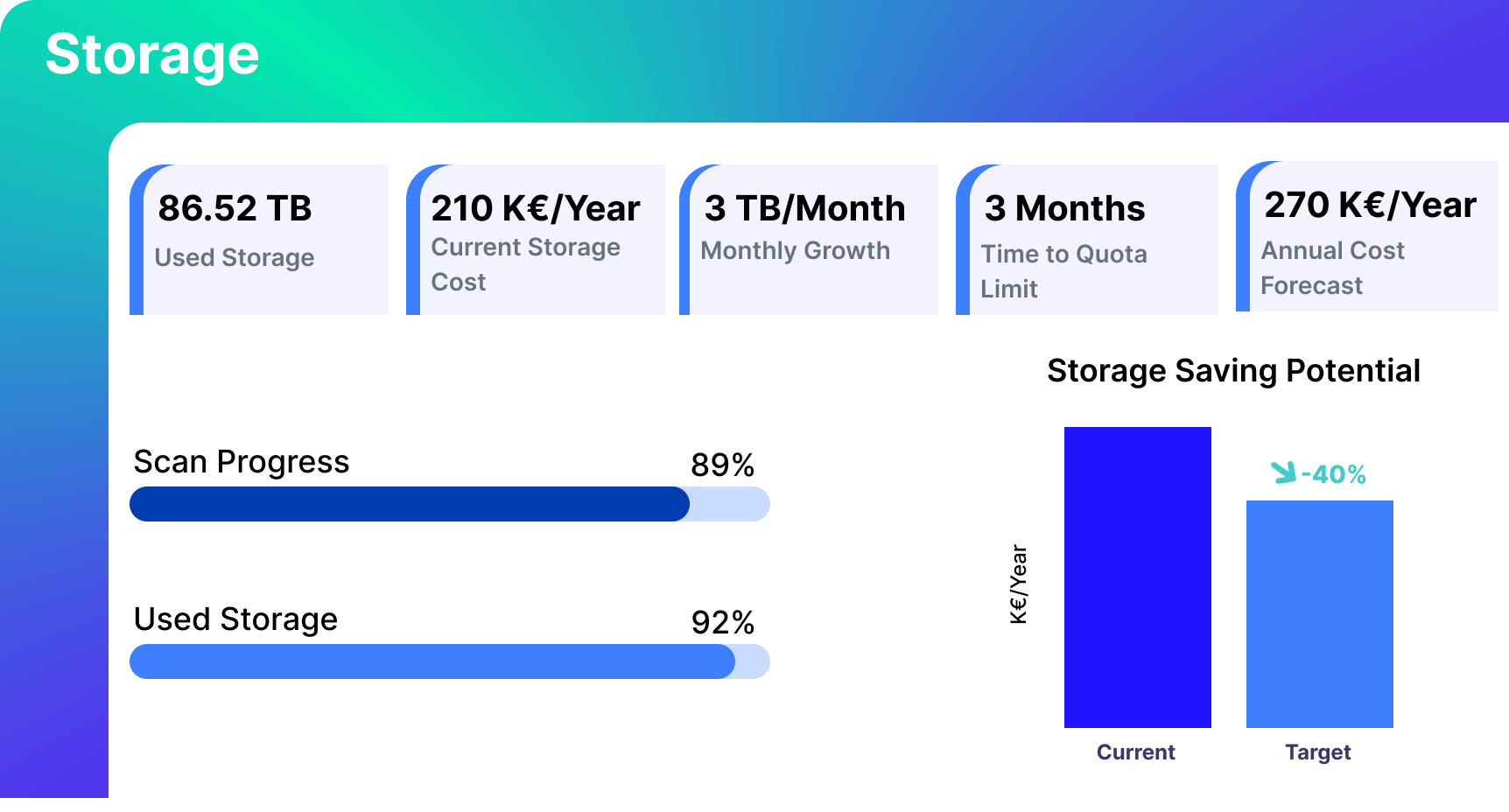
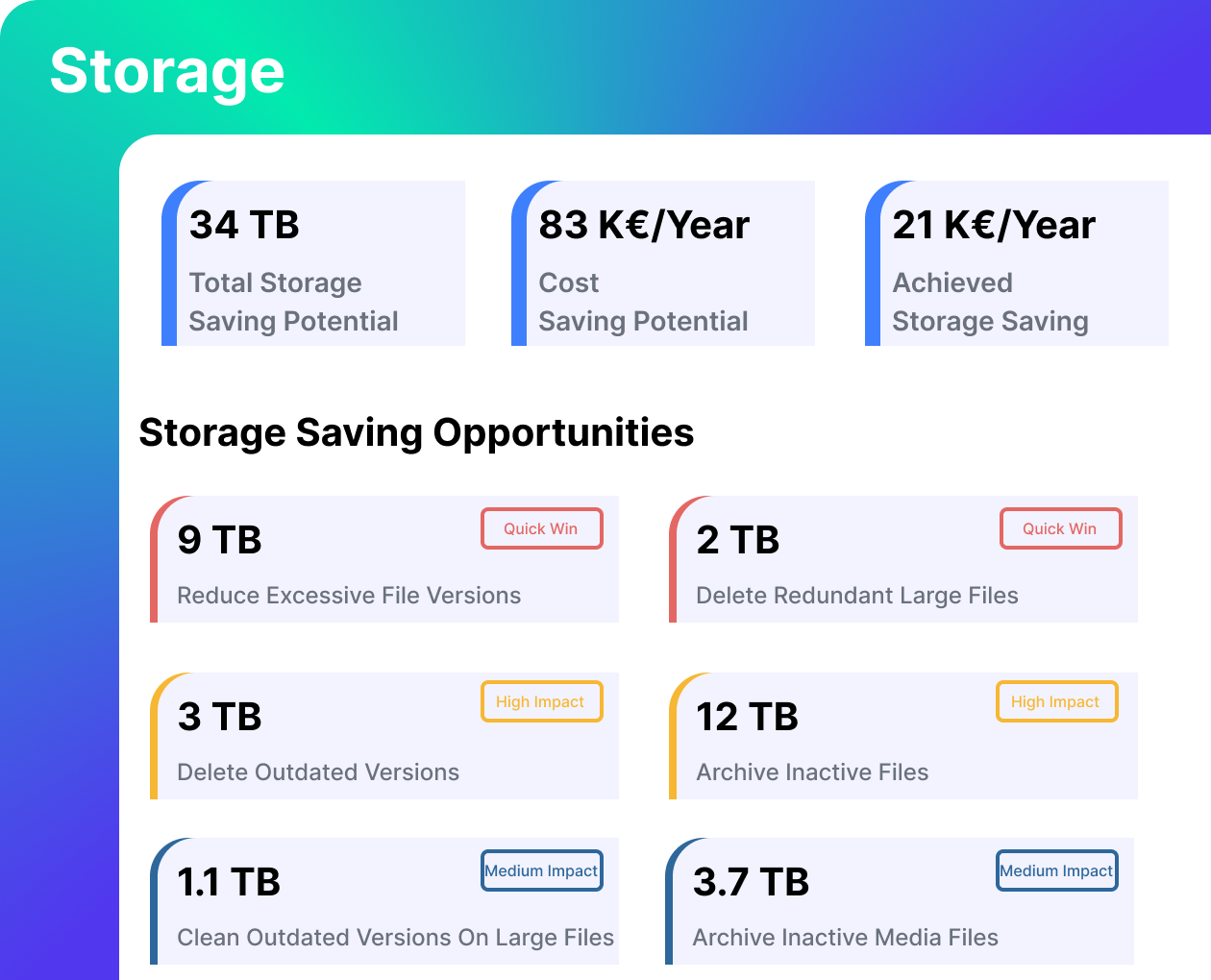
The TeamsFox Storage dashboard gives you a real- time view of total consumption, monthly growth, projected annual cost, and approaching limits across your tenant. Beyond raw usage, TeamsFox translates storage data into measurable savings potential. It highlights where capacity can be reclaimed and ranks optimization opportunities by impact, so teams focus on the highest-return actions first.

Microsoft 365 storage dashboard showing used storage, storage cost, monthly growth, quota limit forecast, and potential storage savings
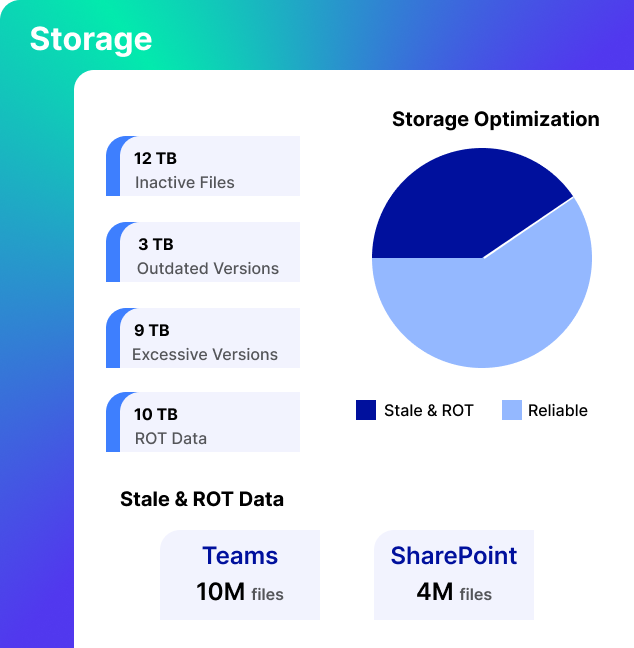
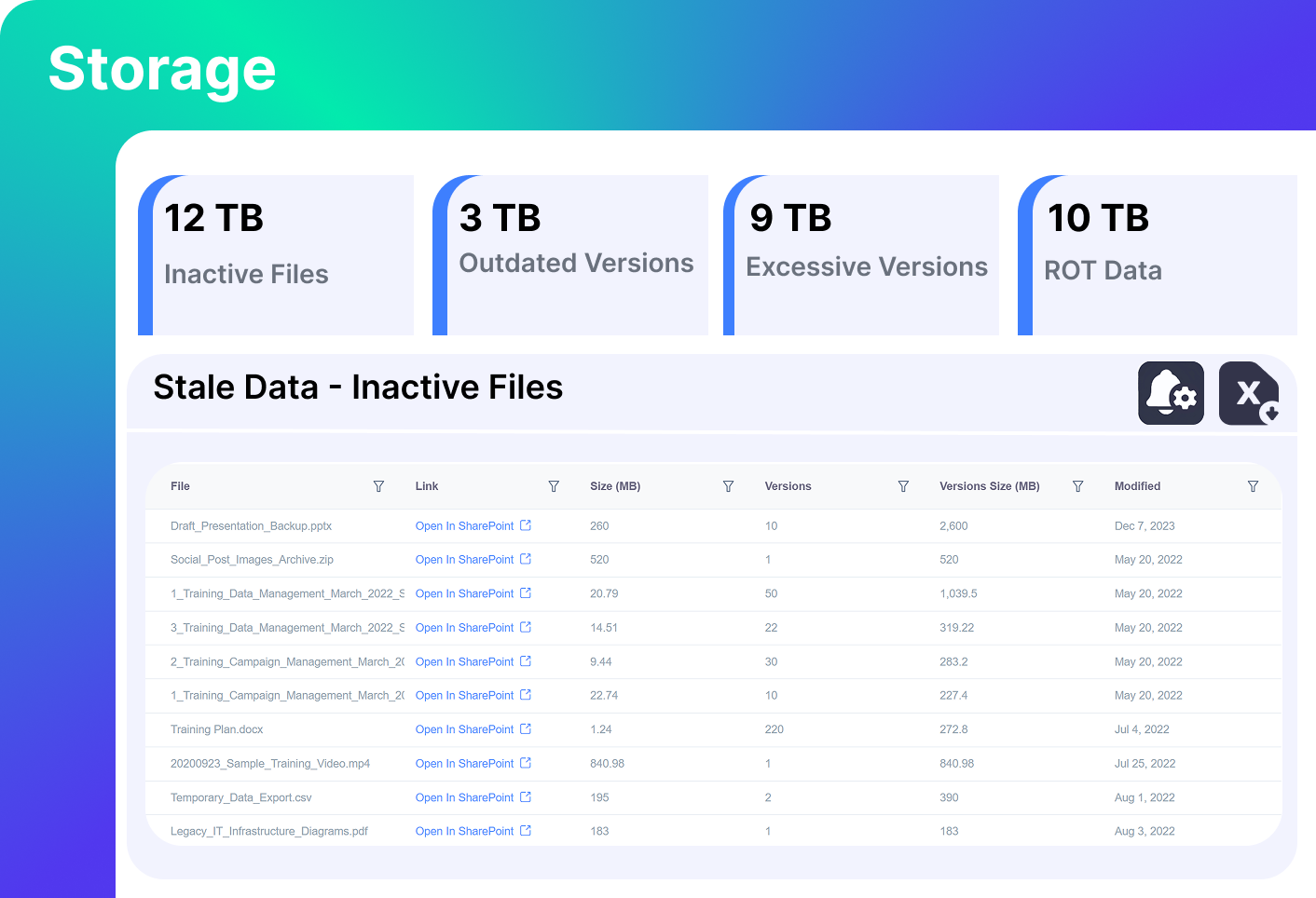
Microsoft 365 storage dashboard showing inactive files, outdated versions, excessive versions, and ROT data in SharePoint

Identify What is Driving Storage Growth

Storage is broken down into defined problem categories across SharePoint and Teams:
- Inactive files
- Excessive versions
- Redundant files
- Obsolete content
Each category is quantified in real terabytes. Selecting a category reveals the files behind it, including size, version count, last modified date, and location.

TeamsFox

Prioritize and Execute the Highest-Impact Fixes

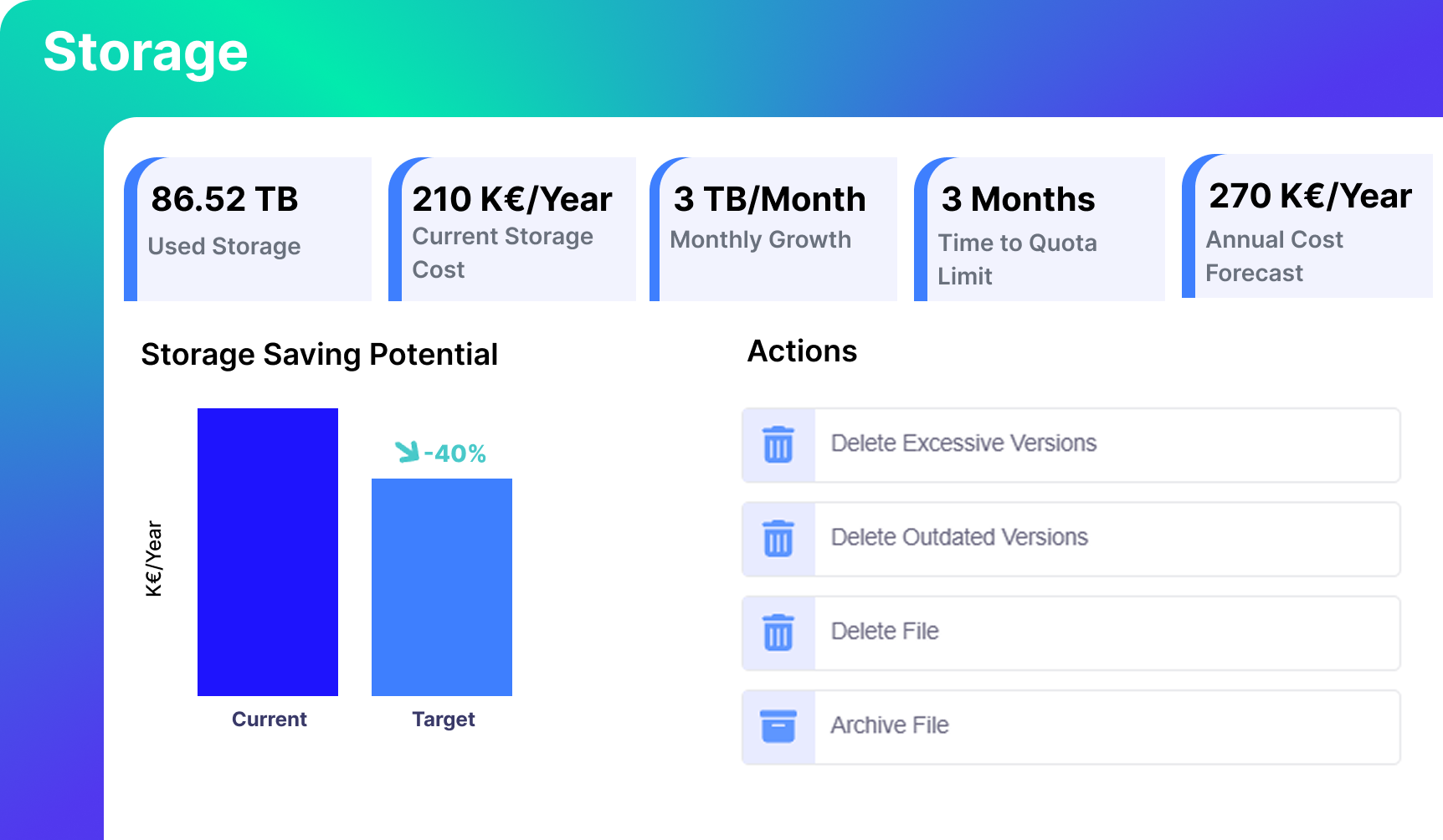
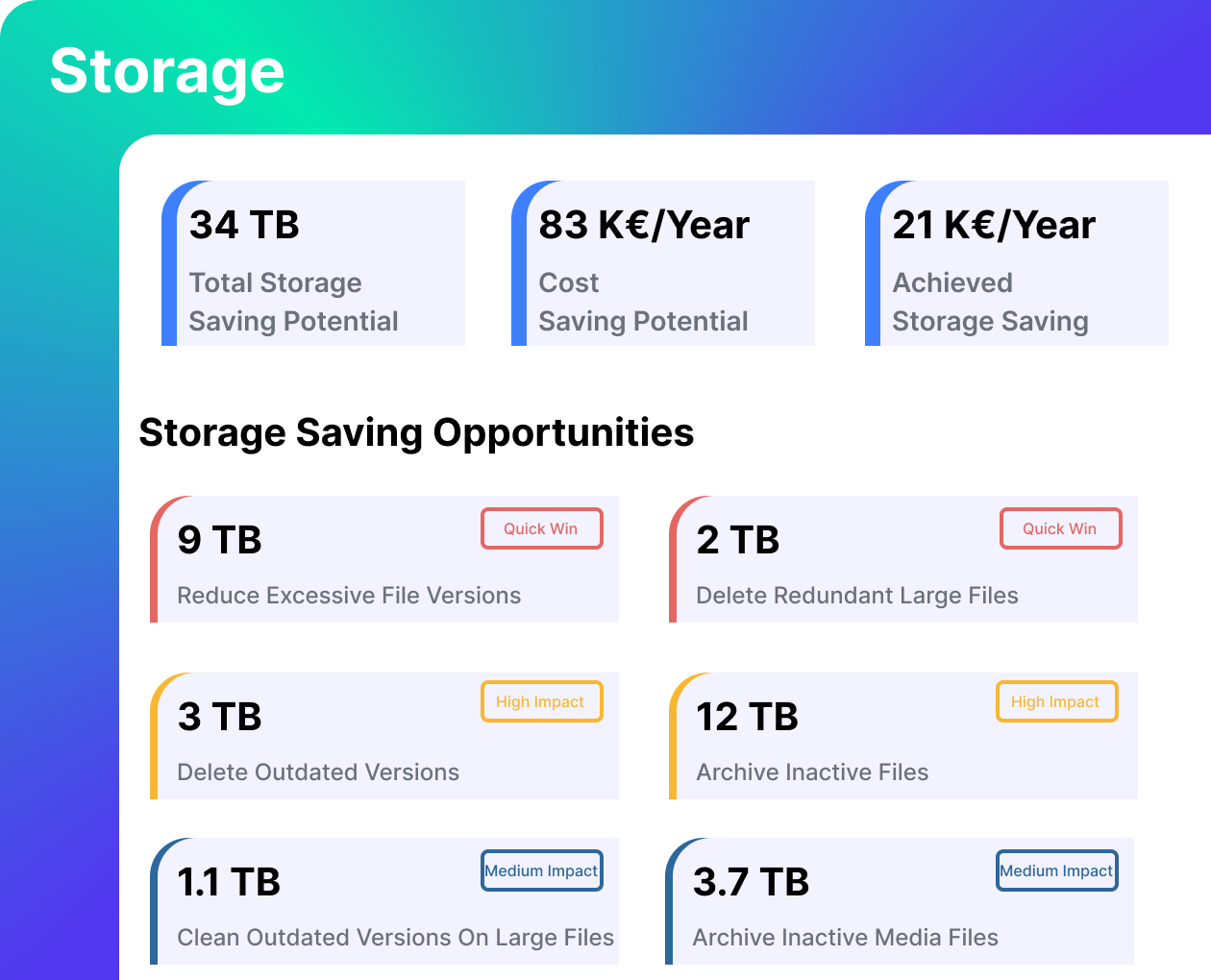
Opportunities are ranked by storage impact so teams focus on the highest return first. No exports. No scripts. No switching tools Actions are executed directly within the same workflow

Trim excessive versions

Trim excessive versions

Remove redundant files

Remove redundant files

Select inactive content for archiving

Select inactive content for archiving
Prioritize and Execute the Highest-Impact Fixes

Actions are executed directly within the same workflow.
- Trim excessive versions.
- Remove redundant files.
- Select inactive content for archiving.
Opportunities are ranked by storage impact so teams focus on the highest return first. No exports. No scripts. No switching tools

5.Storage Saving Opportunities 1
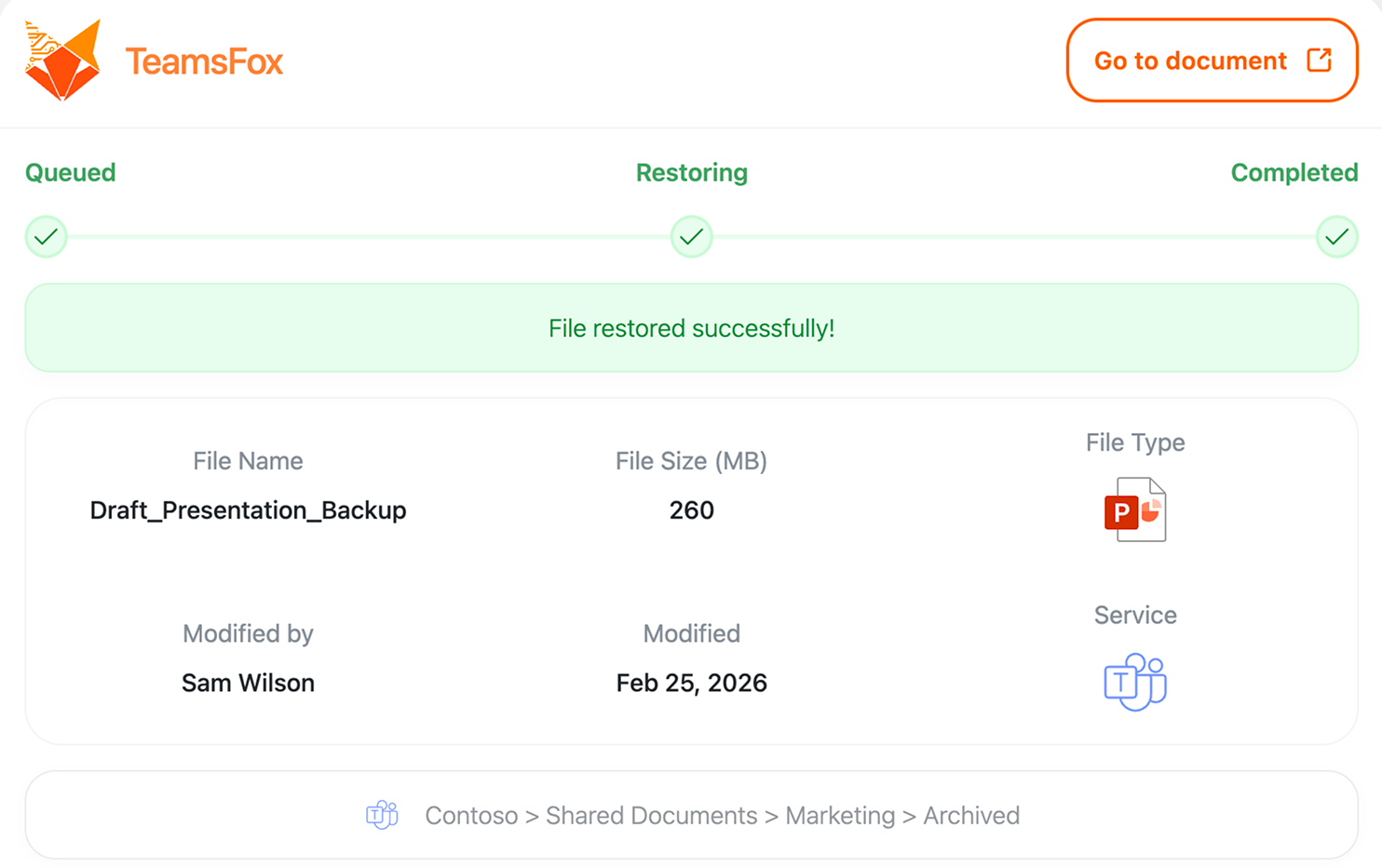
Microsoft Teams file restore confirmation showing a PowerPoint document successfully restored from archived storage in a Teams workspace

Reduce Costs Without Risking User Disruption

Inactive files can be moved to low-cost Azure Storage instead of being deleted. Archived files remain visible in SharePoint and Teams with metadata and permissions intact. When needed, users restore them with one click, without the need for admin involvement.

User-Safe Archiving Savings Outlook

2458
Cost of stale SharePoint data / TB
144
Archive that same TB to Azure
94
%
Storage cost saving
TeamsFox impact decoration

Explore Our Latest Blog Updates​

SharePoint Advanced Management: why M365 coverage gaps still leave tenants exposed
13 Jul

SharePoint Advanced Management: Coverage Gaps and Where TeamsFox

Microsoft's new SharePoint add-on tightens governance inside one workload. Here's what stays exposed everywhere else. At

This image illustrates the process of preparing Copilot Data Readiness through governance, classification, and access auditing before launching Copilot capabilities.
10 Jan

Copilot Data Readiness: A Guide to Ensuring Secure,

IT leaders are no strangers to the pressures of innovation: balancing daily operations with bold, transformative

Business professional reviewing identity access documents in a modern office illustrating Microsoft 365 licence hygiene and identity security risks
17 Apr

Identity is the New Perimeter: Why Licence Hygiene

Every unused licence is an unlocked door. Most organisations have no idea how many doors they

Ready to See Your Storage Savings Potential?

We run a free Microsoft 365 storage analysis using your tenant data. You receive a quantified view of storage growth, version bloat, and redundant files, along with a clear savings outlook